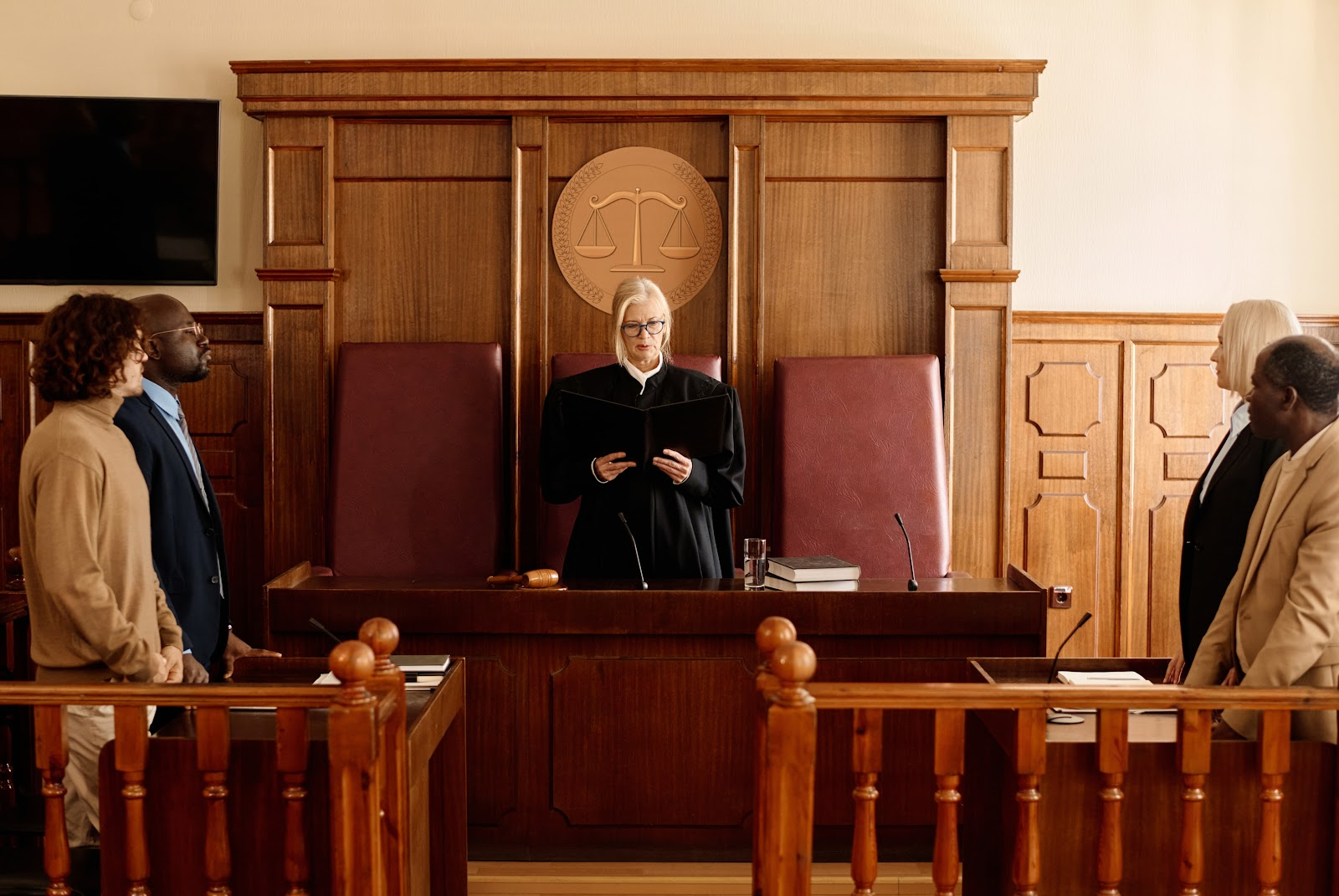


Using Legal Timeline Software for Unlawful Termination Cases

Handling unlawful termination cases requires careful documentation, strategic organization, and a clear presentation of evidence. Also known as wrongful termination, this occurs when an employee is fired for reasons that violate employment laws or public policy—for example, being dismissed due to their race or as retaliation for whistleblowing.

Determining the exact number of unlawful termination cases can be difficult due to underreporting and varying legal definitions across jurisdictions. However, estimates suggest that around 250,000 workers in the United States are wrongfully terminated each year.

For employment law professionals, legal timeline software has become a valuable tool in managing these complex cases. Unlawful termination claims often involve multiple key events, critical actions, and legal arguments that must be carefully tracked. In this article, we’ll explore how legal timeline software helps build a well-structured case strategy for stronger legal outcomes.

Why Legal Timeline Software is Essential for Unlawful Termination Cases

A wrongful termination lawsuit and case require careful organization of key events and supporting evidence, including employment records, termination documents, and communication records. With a vast amount of information to manage, legal timeline software streamlines the possess, ensuring all critical details are properly structured and analyzed.

Organizing Key Case Events Chronologically

One of the key benefits of legal timeline software is its ability to organize case events in a precise, chronological structure, ensuring clarity and coherence in complex employment disputes. These cases often involve a series of critical incidents occurring over extended periods, making proper documentation essential. With the support of case management software for lawyers, attorneys can: 

  • Accurately track pivotal events, such as contract initiation, performance evaluation, workplace disputes, and termination dates.
  • Link crucial evidence– including emails, performance reviews, witness statements, and corporate policies– to specific points in the timeline.
  • Identify inconsistencies in the employer’s defense by cross-referencing documentation.

Strengthening Evidence-Based Arguments

Successfully litigating a wrongful termination case relies on presenting clear, well-documented evidence that substantiates claims of unlawful conduct. Legal timeline software empowers attorneys to:

  • Establish a pattern of discriminatory or retaliatory behavior by mapping key incidents over time.
  • Demonstrate causation between an employer’s protected activity– such as whistleblowing or filing a formal complaint– and their termination.
  • Create a visually compelling timeline that enhances clarity and persuasion for judges, juries, and opposing counsel.

Enhancing Collaboration Between Legal Teams

Legal disputes, particularly wrongful termination cases, require seamless coordination among multiple stakeholders, including attorneys, paralegals, expert witnesses, and clients. Employment law software, like legal timeline software, has significantly improved case collaboration by providing:

  • Real-time document sharing and updates, ensuring all parties have access to the latest case developments.
  • Secure access control, ensuring confidentiality.
  • Role-based permissions, allow attorneys to assign varying levels of access based on each team member’s role and responsibilities.

How to Use Legal Timeline Software Effectively in an Unlawful Termination Case

Effectively utilizing legal timeline software in wrongful termination cases ensures a well-organized, evidence-based case strategy. Follow these steps to streamline case preparation and strengthen your legal arguments:

Step 1: Gather All Relevant Documents

Start by collecting all documentation related to the case, including:

  • Employment contracts and company policies to establish terms and conditions.
  • Performance reviews and disciplinary records to assess the employee’s history.
  • Emails, internal messages, and HR reports to identify relevant communications.
  • Witness statements that provide firsthand accounts of workplace events.

Step2: Identify and Log Key Events

Using the timeline software to input critical case milestones, such as:

  • Start and end dates of employment to establish the case’s timeline.
  • Promotions, demotions, and performance evaluations to track the employee’s trajectory.
  • Complaints or reports are filed by the employee to establish a potential link to retaliatory actions.

Step 3: Link Supporting Evidence

Attach relevant documents, emails, and witness statements to specific events within the timeline. This ensures a structured , easily navigable case file that strengthens legal arguments.

Step 4: Analyze Patterns and Identify Legal Violations

Utilize the software’s analytical tools to uncover:

  • Patterns of discrimination or retaliation, such as adverse actions following a complaint.
  • Inconsistencies in the employer’s defense, highlighting contradictions in documentation.

Step 5: Prepare for Court or Settlement Negotiations

With a well-structured timeline, attorneys can present compelling visual evidence, that simplifies complex case details. This enhances courtroom arguments, strengthens settlement negotiations, and improves overall case outcomes.

Best Legal Timeline Software for Employment Disputes

Selecting the right legal timeline software is crucial for organizing case details, streamlining evidence management, and enhancing litigation strategies in wrongful termination cases. Below are some of the most effective tools available, each offering unique features to support legal professionals.

TrialLine

A cloud-based case management solution designed to structure complex legal timeline efficiecently.

Key Features:

  • Secure, cloud-based case timeline organization for seamless collaboration.
  • Easy document linking to key events for streamlined case preparation.
  • Controlled access for clients and legal teams, ensuring confidentiality.

Casemap

An advanced evidence mapping tool that enhances trial preparation and legal analysis.

Key Features:

  • Comprehensive evidence mapping and linking for building strong legal arguments.
  • Customizable reports to support litigation and case presentation.
  • AI-powered analysis tools to identify inconsistencies and strengthen case strategy.

Timeline Maker Pro

A user-friendly timeline software focused on visual case organization and presentation.

Key Features:

  • Intuitive interface for creating professional legal timelines.
  • Multiple export formats, including presentations, for courtroom use.
  • Enhance data security to protect confidential case materials.

SmartDraw Legal Edition

A versatile legal timeline tool for professional templates for streamlined case management.

Key Features:

  • Pre-designed professional timeline templates for quick setup.
  • Seamless integration with Microsoft Office and cloud storage platforms.
  • Drag-and-drop functionality for ease of use and efficiency.

What to Do When You Are Involved in a Wrongful Termination Case

If you believe you have been wrongfully terminated, taking the right steps early can significantly strengthen your case. Follow these key actions to protect your rights and build a strong legal claim.

  1. Review Your Employment Documents.
  • Carefully examine your employment contact, offer letter and company policies to determine whether your termination violated any agreements or workplace rules.
  • Review the employee handbook to understand company policies regarding termination, disciplinary procedures, and grievance reporting.
  1. Document Everything
  • Record the date, time and circumstances surrounding your termination.
  • Gather relevant documentation, including:
    • Termination letter (if provided)
    • Performance reviews and disciplinary records to refute claims of misconduct or poor performance.
    • Emails, text messages, and internal memos related to your employment and dismissal.
    • Witness statements from coworkers who may support your claims.
  1. Identify Potential Legal Violations

 A termination may be unlawful it was based on:

  • Discrimination (e.g., race, gender, age, disability, religion or other protected characteristics).
  • Retaliation for reporting workplace violations, harassment or whistleblowing.
  • Violation of an employment contract or company policies.
  • Constructive discharge, where an employer created intolerable working to force you to resign.
  1. File a Complaint with Appropriate Agency
  • If discrimination or retaliation is involved , file complaint with Equal Employment Opportunity Commision (EEOC) or state’s labor board.
  • Certain claims may require filling deadlines, so act promptly to preserve your legal rights.
  1. Consult an Employment Law Attorney
  • An experience employment law attorney can assess your case, determine the best legal strategy, and help you seek compensation or reinstatement.
  • Legal timeline software can assist in organizing key events and evidence, strengthening your claim in court of settlement negotiations.
  1. Consider Settlement of Legal Actions
  • Many wrongful termination cases are resolved through settlements negotiations, where employees may recieve compensation for lost wages and damages.
  • If necessary,your attorney may pursue legal action through civil litigation to protect your rights and secure justice.

By taking these steps, you can proactively protect yourself and improve your chances of a favorable outcome in a wrongful termination lawsuit. If you believe your termination was unlawful, seeking legal counsel as soon as possible is essential to safeguarding your rights.


Building a Stronger Case Starts Here

Successfully handling unlawful termination cases require more than just legal expertise—it demands organization, strategy, and the ability to present a clear, compelling argument. Legal timeline software plays a crucial role in streamlining case preparation, allowing attorneys and legal teams to document key events, organize evidence, and build strong, evidence-based arguments. By visualizing the timeline of events, attorneys can effectively demonstrate patterns of misconduct, inconsistencies in the employer’s actions, and violations of labor laws. This level of clarity not only strengthens the case but also increases the chances of securing a favorable outcome for clients. Additionally, timeline software fosters seamless collaboration among legal professionals, ensuring that everyone involved has access to the most up-to-date case information. With the right tools, legal teams can work more efficiently, reduce errors, and stay ahead in complex employment disputes.

TrialLine offers a comprehensive solution designed specifically for legal professionals handling employment disputes, including unlawful termination cases. With its intuitive interface, powerful visualization tools, and secure cloud-based access, TrialLine simplifies case management while enhancing legal strategy. Whether you are an attorney, a paralegal, or an HR professional involved in employment litigation, TrialLine can help you stay organized and present your case with confidence. Don’t leave your case to chance—sign up for a free trial or schedule a demo with one of our experts today to see how TrialLine can transform the way you manage and litigate wrongful termination cases.

How to Create a Legal Timeline in Minutes

In the fast-paced world of law, time is everything. Lawyers juggle complex cases with countless details, deadlines, and events. A legal timeline serves as a visual roadmap, organizing facts chronologically to reveal patterns, strengthen arguments, and streamline presentations. But creating one from scratch can feel overwhelming. Enter TrialLine, a cloud-based tool designed specifically for attorneys. With TrialLine, you can build a professional legal timeline in minutes, not hours. This guide walks you through the process step by step.

Why Use a Legal Timeline?

Before diving in, consider the advantages. A well-crafted timeline helps you:

  • Spot inconsistencies in case facts.
  • Track key deadlines and milestones.
  • Present compelling stories in mediations or trials.
  • Collaborate with your team in real time.

TrialLine makes this easy by turning raw data into interactive visuals. It integrates with tools like Clio, allowing seamless import of case details. Plus, features like filtering, sorting, and list views keep everything organized.

Getting Started with TrialLine

Ready to create your timeline? TrialLine offers a 7-day free trial with no credit card required. Head to trialline.net and sign up. Once logged in, follow these simple steps.

Step 1: Set Up Your Case

After signing in, click “Create a New TrialLine” in the upper right hand corner. Enter basic case info like the title, client name, and description.

Step 2: Add Events Quickly

TrialLine’s intuitive interface lets you input events fast. Use the “New Event” button to enter details such as:

  • Date and time.
  • Description of the event.
  • Supporting documents or notes.
  • Categories for easy filtering (e.g., motions, depositions).

Import data from Clio or upload spreadsheets to populate multiple events at once. No manual typing needed for bulk entries.

Step 3: Organize and Customize

Use different layouts to view the data. Share your timeline with expert witnesses or team members to gather comments and feedback. Apply filters to show or hide specific types, review comments. Switch to list view for a text-based overview. Customize colors, labels, and layouts to match your case’s narrative. TrialLine’s tools ensure your timeline looks polished without design skills.

Step 4: Review and Share

Preview your timeline in various formats: chronological, zoomed in, or exported as a doc or image. Share via link for team collaboration or courtroom use.

Plus – now with our new offline app you can download your TrialLine’s for full offline use and presentation.

The Louvre Jewel Heist Timeline

Image by author

On a crisp October morning in 2025, the world-famous Louvre Museum in Paris became the scene of one of the most audacious art thefts in modern history. Masked thieves used a cherry picker to breach the Apollo Gallery, smashing display cases and fleeing with eight priceless pieces from France’s Crown Jewels artifacts tied to 19th-century royalty and valued at around $100 million. The daylight robbery shocked the world, drawing parallels to legendary heists while exposing vulnerabilities in cultural security. As investigations unfold with arrests and ongoing manhunts, this case highlights the need for precise tracking of events in complex legal matters. Let’s dive into a detailed case timeline using TrialLine, our intuitive legal timeline software that helps attorneys visualize key milestones, attach evidence, and collaborate seamlessly.

Transform chaotic case details into clear, interactive timelines, sign up for a free 7-day trial of TrialLine today!

foxnews.com

Dapper stranger in Paris crown jewels heist photo sparks online …

What Are the French Crown Jewels?

The French Crown Jewels represent a glittering chapter of royal history, showcasing opulent gems from the First and Second French Empires. Housed in the Louvre’s Apollo Gallery since the 1880s, this collection includes diadems, necklaces, brooches, and earrings adorned with sapphires, emeralds, pearls, and diamonds–many linked to figures like Empress Eugénie, Queen Marie-Amélie, and Queen Hortense.

Historical Significance

Dating back to the 19th century, these jewels symbolize France’s imperial grandeur. For instance, the Sapphire Diadem of Empress Eugénie, crafted in 1853, features over 1,000 diamonds and sapphires. The collection survived revolutions and wars, becoming a national treasure displayed for millions of visitors annually. Its theft not only robs France of cultural heritage but also raises questions about museum security protocols.

Display at the Louvre

The Apollo Gallery, a lavish hall decorated with frescoes and gold leaf, has long been the jewels’ home. Enhanced security measures, including reinforced cases and surveillance, were in place–but as the heist revealed, they weren’t foolproof. This backdrop sets the stage for the daring crime that unfolded.

turnto10.com

Suspects arrested in theft of crown jewels from Louvre museum in Paris

Timeline of the Heist

Image by author – Apollo Gallery

The Day of the Heist

October 19, 2025: The Brazen Break-In Around 9:30 a.m., four masked thieves arrived on motor scooters near the Louvre’s Seine-facing facade. They commandeered a cherry picker from a nearby construction site, extending it to reach the Apollo Gallery’s windows. Two intruders climbed in, using a disc cutter to smash reinforced display cases in under four minutes. They targeted eight specific pieces: sapphire and emerald diadems, necklaces, brooches, and earrings associated with Queens Marie-Amélie, Hortense, and Empress Eugénie. Amid the chaos, they attempted to set the lift ablaze to cover their tracks but were interrupted by approaching security. Fleeing on scooters, they abandoned one damaged item–the Crown of Empress Eugénie–outside the museum. Visitors, including tour groups, reported hearing loud “stomping” and alarms blaring.

The Crown of Louis XV of France (not stolen) – Image by Author

October 19, 2025: Immediate Response Shortly after the theft, the museum was evacuated amid panic. A barking Akita dog, reminiscent of past heists, was noted by witnesses. Police sealed off the area, collecting over 150 DNA samples, fingerprints, hair fibers, and reviewing surveillance footage. President Emmanuel Macron addressed the nation, vowing swift justice. The stolen items were promptly added to Interpol’s Stolen Works of Art Database to alert global authorities.

apnews.com

Aftermath and Initial Investigations

October 20, 2025: Emergency Security Review France’s Culture and Interior Ministries convened an urgent meeting to assess museum vulnerabilities. Discussions focused on outdated surveillance and budget cuts, with calls for immediate upgrades across national sites.

October 22, 2025: Museum Reopens Amid Tension The Louvre reopened to the public, though the Apollo Gallery remained cordoned off. U.S. tourists shared harrowing accounts of the “very scary” ordeal, describing shattered glass and fleeing suspects. Media coverage intensified, drawing international scrutiny.

Regent Diamond & others – (not stolen) Image by author.

October 23, 2025: Leadership Shake-Up The Louvre’s director publicly acknowledged security lapses and offered to resign. In a precautionary move, the remaining Crown Jewels were transferred to a high-security vault at the Bank of France.

nytimes.com

abcnews.go.com

Keep every event, witness statement, and piece of evidence organized–schedule a demo with TrialLine today!

Arrests and Ongoing Probe

October 26, 2025: Key Suspects Detained In a major breakthrough, two men in their 30s from Seine-Saint-Denis–both with prior robbery convictions–were arrested on charges of organized gang robbery and criminal conspiracy. One was captured at Paris-Charles de Gaulle Airport en route to Algeria, the other in central Paris. They were held for up to 96 hours for questioning. Paris prosecutor Laure Beccuau launched a formal investigation, cautioning against media leaks that could jeopardize the case.

October 27, 2025: Ministerial Praise and Hunt Continues Interior Minister Laurent Nuñez commended investigators via a post on X, highlighting the efforts of over 100 officers from the Brigade for the Repression of Banditry. The stolen jewels remain missing, with two additional suspects and a potential mastermind still at large. International cooperation through Eurojust and Europol is underway, and enhanced security has been rolled out at French cultural institutions.

cnn.com

Late October 2025: Custody and Charges The suspects’ initial detention period concludes, with prosecutors expected to announce formal charges–potentially carrying heavy fines and lengthy prison sentences. A preliminary report from France’s Court of Auditors is slated for November, critiquing inadequate video systems and reduced funding.

Ongoing: Global Manhunt and Recovery Efforts The investigation persists, with forensic analysis of evidence and appeals for public tips. Interpol alerts remain active, and experts speculate the jewels may be dismantled for black-market sale.

newsweek.com

Louvre Museum Robbery: Priceless Jewels On Display Before Daylight Theft

Simplify Complex Case Timelines Like the Louvre Heist With TrialLine

High-stakes cases like the Louvre jewel heist involve rapid developments, multiple suspects, and layers of evidence–from DNA samples to surveillance footage. TrialLine’s legal timeline software makes it easy to map out these intricacies: create interactive case timelines, attach documents and media, filter by date or category, and share with your team in real-time. Whether you’re prosecuting organized crime or defending against theft allegations, our tool turns disorder into a compelling narrative for briefs, trials, or settlements.

Say goodbye to disorganized case timelines–try TrialLine now!

FAQs About the Louvre Jewel Heist Timeline

  • What jewels were stolen in the Louvre heist? Eight pieces from the French Crown Jewels, including diadems, necklaces, brooches, and earrings linked to 19th-century queens and empresses.
  • How much are the stolen Crown Jewels worth? Approximately $100 million, though their historical value is considered priceless.
  • Have any suspects been arrested? Yes, two men were detained on October 26, 2025, with more potentially at large.
  • When will the case go to trial? Charges are expected soon, but a trial date remains pending as the investigation continues.

This post is for informational purposes only and does not constitute legal advice.

Try TrialLine Free

Experience the power of our legal timeline software with a 7-day free trial at TrialLine.net–no credit card required. Or schedule a personalized demo to see how it fits your workflow. See your case and win with TrialLine!

NEW “TrialLine Viewer” – View your TrialLine’s Offline

We’re exited to share a game-changing addition to TrialLine: the TrialLine Viewer offline app! Designed exclusively for iPad with legal professionals in mind. This powerful new tool ensures you can access and present your TrialLine’s anytime, anywhere – no internet required.

Download your TrialLines

With TrialLine Viewer, you can download your case timelines directly to your device for offline access. No Wi-Fi? No problem. Whether you’re traveling or in a low-signal area, your timelines are always at your fingertips. Simply log in with your TrialLine account, select the cases you need, and download them in seconds. App syncs are easy when you’re back online, just click “update” on any TrialLine’s changes have been made to when you’re back online.

Present your TrialLines

Make a lasting impression in court or client meetings with TrialLine Viewer’s presentation-ready timelines. The app’s intuitive interface lets you display key case events clearly and professionally, helping you communicate critical details with confidence. Drill down in on specific events, highlight milestones, or share timelines directly from your device. Take advantage of Apple’s built-in powerful screen-sharing feature to effortlessly present your timelines to colleagues, clients, or the court, ensuring a seamless and impactful delivery – perfect for depositions, mediations, or trial prep.

Access Your Saved Views

Your customized timeline views are now available offline with TrialLine Viewer. Access your pre-configured layouts and filters exactly as you set them up in TrialLine, saving you time and ensuring consistency. Whether you’ve organized your timeline by case phase, priority, or specific events, your saved views are ready whenever and wherever you need them.

View and Access Your Attachments Directly

TrialLine Viewer lets you view and access your case attachments directly within the app, even offline. From key documents to evidence files, all your uploaded attachments are securely stored and readily available alongside your timelines. Quickly reference contracts, deposition transcripts, or exhibits without needing an internet connection, ensuring you’re always prepared for critical case moments.

Organize Events with Dynamic Filtering

Stay in control of complex cases with TrialLine Viewer’s dynamic filtering capabilities. Sort and organize events by date, type, or custom tags to focus on what matters most. Need to review only discovery deadlines or witness-related events? Apply filters on the fly to streamline your workflow, even offline. This feature empowers you to manage intricate timelines with ease and precision.

Sign up today!

TrialLine Viewer is now available for a limited-time beta release price of $99 per seat (one-time purchase). Don’t miss this opportunity to get the app at this exclusive rate – once the beta phase ends, the price will increase to $199 per seat. Download TrialLine Viewer today on iOS (iPad only) and experience the future of offline case presentation.

To download simply Login –> click “My Profile” –> click “Subscription” once you’ve purchased a seat simply download the app from the iOS app store onto any iPad.


Note: Only available on iPad. The link above will only work if you click it from an Apple iPad device.

Have questions or feedback? Contact our team at info@trialline.net. Thank you for being part of the TrialLine community – let’s keep your cases on track, online or off!

The TrialLine Team

Night of the Murders: OJ Simpson’s Case Timeline

On the evening of June 12, 1994, Nicole Brown Simpson and her friend Ronald Goldman were discovered fatally stabbed outside her residence in Los Angeles. Suspicion swiftly turned toward her ex-husband, O.J. Simpson, as the leading suspect in the case.

Days later, on June 17, as authorities prepared to arrest him, Simpson led police on a slow-speed chase in the back of a Ford Bronco driven by his friend A.C. Cowlings.

The attempted escape was televised and watched by 95 million viewers nationwide and concluded at the Simpson’s home, where he was arrested and charged with two murders.

O.J. Simpson’s trial garnered immense media attention, earning it the moniker “Trial of the Century.” 

Following the news of his death on April 10, 2024, there has been renewed interest in revisiting his case timeline. Let’s take a detailed look at the events using TrialLine, a legal timeline software.

Transform case details into clear, interactive timelines—sign up for a free 7-day trial of TrialLine!

Who is Orenthal James Simpson?

O.J. Simpson was an American collegiate and professional football player renowned for his speed and elusiveness as a premier running back. His success in the field led to a career in film and television.

OJ playing football

Early Football Career

Simpson rose to fame in 1967 as the University of Southern California (USC) football star. His performance earned him the Heisman Trophy, the college football’s top honor, in 1968, setting the stage for his Hall of Fame NFL career.

NFL History

Simpson, often nicknamed “Juice” for his energetic playing style and as a nod to his initials “O.J.,” was the first overall draft pick for the Buffalo Bills in 1969. The following year, the AFL merged with the NFL, and the Bills became part of the American Football Conference (AFC).

In 1973, Simpson set a single-season record by rushing for 2,003 yards, becoming the first player to surpass the 2,000-yard mark. He led the AFC in rushing yards four times (1972-1973, 1975-1976) and remained a major fan attraction despite the Bills not being championship contenders.

Knee injuries led the Bills to trade him to the San Francisco 49ers in 1979, but he retired after that season. At the time of his retirement, his career rushing yardage ranked second all-time. He was inducted into the Pro Football Hall of Fame in 1985.

Hollywood and Media Career

Simpson’s popularity extended beyond the NFL. He found success as a spokesperson and actor, appearing in films such as The Towering Inferno (1974) and the Naked Gun series (1988, 1991, and 1994).

He also had guest roles on TV shows like In the Heat of the Night and worked as a sports commentator after retiring from football.

Personal Life

On February 2, 1985, Simpson married Nicole Brown, whom he had met while she was working as a waitress at a Beverly Hills restaurant. They had two children, Sydney (born 1985) and Justin (born 1988).

Despite OJ and Nicole Simpson’s public image, their marriage was troubled. Reports of domestic violence emerged, with multiple police visits to their home.

In 1989, Simpson pleaded no contest to spousal abuse after an incident in which Brown called 911, reporting that he had beaten her. Despite the charges, the couple remained together for several more years before Nicole Brown Simpson filed for divorce in 1992.

Simpson’s ex-wife cited irreconcilable differences, though their relationship remained volatile even after their separation.

Timeline of the Murders

From a football superstar, movie star, sports commentator, and TV pitchman, O.J. Simpson’s career took an unprecedented fall following the 1994 murders of his ex-wife, Nicole Brown Simpson, and her friend, Ron Goldman. 

Below is a detailed timeline of the case.

The Murders of Nicole Brown Simpson and Ron Goldman

murder crime scene

June 12, 1994: The Night of the Murders

6:30 PM: After attending her daughter’s dance recital with her ex-husband, Nicole has dinner with friends and family at Mezzaluna, a Brentwood restaurant where Ronald works as a waiter. Nicole’s mother accidentally leaves her eyeglasses at the restaurant, and Ronald offers to drop them off at Nicole Brown Simpson’s home. 

10:41 PM – 10:45 PM: Brian “Kato” Kaelin, a houseguest at Simpson’s Rockingham mansion located just a few miles from Nicole’s home, hears three loud noises from the opposite side of the wall and goes out to investigate.

10:50 PM – 10:55 PM: A neighbor notices Nicole’s white Akita barking outside with bloody paws.

11:01 PM: After waiting since 10:25 PM, limousine driver Allan Park sees Simpson exit his house. A few minutes later, Park drives Simpson to Los Angeles International Airport for his flight to Chicago.

11:45 PM: Simpson departs for Chicago.

June 13, 1994: O.J. Simpson Becomes the Prime Suspect

12:01 AM: Nicole’s dog leads neighbors to the bodies of Brown Simpson and Goldman, which are lying near the gate. 

4:15 AM: Simpson checks into a hotel in Chicago.

4:30 AM: Police arrive at Simpson’s Rockingham mansion to inform him of Nicole Brown Simpson’s death but instead discover his blood-stained Bronco and a bloody glove matching one found near Ronald Goldman’s body.

10:45 AM: Armed with a search warrant, the police search Simpson’s mansion and find additional blood traces on the property, including inside his Bronco.

12 PM:  After being informed of his ex-wife’s death, Simpson returns to Los Angeles and arrives at his mansion, where he is handcuffed and taken to the police station for hours of questioning.

June 15, 1994: Robert Shapiro Becomes Simpson’s Attorney

Defense attorney Robert Shapiro replaces Howard Weitzman as lead counsel for Simpson.

June 16, 1994: Ronald Goldman and Nicole Brown Simpson’s funeral

O.J. Simpson, along with two of his children, attends the funeral of Nicole Brown Simpson. A separate funeral is held for Ronald Goldman.

The Car Chase and Charges Against O.J. Simpson

car chase against OJ

June 17, 1994: The Bronco Freeway Chase

Simpson is officially accused of murdering his ex-wife and her friend. Despite initially promising to surrender to authorities, he flees and becomes a fugitive.

He is later spotted being trailed by Los Angeles police cars on the freeway in a white Ford Bronco with his friend Al “A.C.” Cowlings driving. Fans begin to line the freeways to show support.

As helicopters track Simpon’s Bronco, an estimated 95 million people watch the 60-mile chase on TV (famously interrupting the broadcast of the NBA finals). Simpson ultimately surrendered at his house shortly before 9 PM. He was arrested and jailed without bail.

July 22, 1994: O.J. Simpson Pleads Not Guilty

Simpson asserts he is “completely, unequivocally, and entirely not guilty” of the murder charges. Judge Lance Ito is assigned to preside over the case.

Pre-Trial Preparations

jury in the court

September 9, 1994: Prosecutors Seek Life Without Parole

The prosecution opts not to pursue the death penalty and instead seeks a life sentence without the possibility of parole for the defendant if he is found guilty.

November 3, 1994: Jury Selection Begins

The first jury is chosen and consists of four men and eight women. Among them, eight jurors are Black, one is Hispanic, one is White, and two are of mixed race. 

January 11, 1995: Jury Reports for Duty

The jury, now consisting of 12 men and 12 women, is officially sequestered.

January 15-16, 1995: Simpson’s Attorneys Stop Communicating

Attorney Robert Shapiro informs the media that he and another one of Simpson’s defense attorneys, F. Lee Bailey, are no longer communicating. 

January 18, 1995: Defense Attorney Johnnie Cochran Takes Over as Lead Counsel

Johnnie Cochran assumes the role of lead counsel for the defense.

Judge Ito decided that the jury would be permitted to hear evidence of Simpson’s purported domestic abuse towards Brown.

The Murder Trial

OJ in court

January 24, 1995: Prosecution’s Opening Statement

Prosecutors Marcia Clark and Christopher Darden deliver impassioned opening statements. Darden informs the jury, “He killed her out of jealousy. He killed her because he couldn’t have her.”

January 27, 1995: O.J. Simpson’s Book is Released

Simpson’s book, “I Want to Tell You,” is published.

February 3, 1995: Denise Brown Testifies

Denise Brown, Simpson’s sister-in-law, tearfully testifies about Simpson’s abuse towards his ex-wife.

February 12, 1995: Jury Visits Key Locations

The jurors visit Simpson’s Rockingham home and Nicole Brown Simpson’s house on South Bundy Drive, now labeled a crime scene.

March 13, 1995: Detective Mark Fuhrman Denies Racism

Detective Mark Fuhrman is cross-examined and denies being racist. He also rejects the defense’s theory that he sabotaged the investigation by tampering with evidence.

March 21, 1995: Kato Kaelin Testifies Again

For a second time, Simpson’s houseguest testifies, describing how he spent the evening with Simpson just hours before the double homicide occurred.

April 4, 1995: Investigator Admits Mishandling Evidence

Criminologist Dennis Fung admits that proper protocols were not fully enforced at the crime scene. 

May 10, 1995: DNA Evidence Is Presented

The DNA testimony starts, and jurors discover that only one in 170 million people, including Simpson, would match the genetic characteristics of a drop of blood found at the crime scene.

June 15, 1995: J. Simpson Tries on the Leather Gloves

Darden has Simpson try on the leather gloves in front of the jury. Simpson puts them on and states they are “too tight.”

August 29, 1995: Tapes Reveal Detective Mark Fuhrman Using Racial Slurs

The jury listens to previous taped recordings of Fuhrman using various racial slurs and boasting about his use of police brutality. This contradicts the detective’s earlier testimony during cross-examination.

September 28, 1995: Defense Delivers Closing Argument

After the prosecution’s closing arguments the day before, Cochran presented his closing statement to the jury, famously stating: “If it doesn’t fit, you must acquit.”

Keep every event, witness, and piece of evidence in order—schedule a demo with TrialLine Today!

The Verdict and Aftermath

October 3, 1995: O.J. Simpson Is Acquitted

After deliberating for less than four hours, the jury reaches a verdict of NOT GUILTY on two counts of murder. Simpson is acquitted and released.

October 23, 1996: Civil Trial Begins Against O.J. Simpson

The families of Nicole Brown Simpson and Ronald Goldman, including Fred Goldman, his father, filed a lawsuit against O.J. Simpson for damages in civil court regarding the wrongful death of their loved ones. The trial started just over a year after Simpson’s criminal acquittal.

February 4, 1997: Jury Finds Simpson Liable for the 1994 Murders

After a five-month trial, a 12-member jury unanimously finds Simpson responsible for the 1994 murders. The federal bankruptcy court awards $8.5 million in compensatory damages to Ronald Goldman’s parents.

February 10, 1997: Punitive Damages Are Issued

One week later, the jury determined that Simpson must pay an additional $25 million in punitive damages to the Brown and Goldman families.

Fred Goldman, expressing his satisfaction, stated, “The jury decision last Tuesday was the only decision important to us to find the killer of my son and Nicole. The money was not an issue. It never has been. It’s holding the man who killed my son and Nicole responsible.”

Additional Offenses

OJ and his lawyer

September 2007: Botched Hotel Room Heist in Las Vegas

Simpson orchestrated a botched hotel room heist at a Las Vegas hotel room, where he and a group of men confronted two sports memorabilia dealers.

He claimed they had stolen items that belonged to him. The incident turned violent, with weapons involved, leading to multiple felony charges, including kidnapping and armed robbery.

October 2008: Conviction on Multiple Charges

Convicted alongside co-defendant Clarence “C.J.” Stewart, Simpson was found guilty of kidnapping, armed robbery, assault with a deadly weapon, burglary, and conspiracy. Four additional accomplices accepted plea deals and were sentenced to probation.

December 2008: Sentenced to 33 Years in Prison

Simpson was sentenced to nine to 33 years in prison and sent to Lovelock Correctional Center in Northern Nevada.

A Freeman

OJ in a court hearing

2013: Simpson Seeks a New Trial

On May 16, 2013, O.J. Simpson appeared at an evidentiary hearing in Clark County District Court, seeking a new trial for his 2008 armed robbery conviction.

2017: Granted Parole and Released

In July 2017, Simpson was granted parole on some charges due to good behavior, with his earliest release date set for October 1, 2017. During his parole hearing, he defended his actions in the 2007 Las Vegas robbery, insisting he was only reclaiming his own property.

“I wasn’t there to steal from anybody. All I wanted was my property.”

He assured the board he would comply with Nevada parole board conditions, stating:

“I’m not someone who lived a criminal life.”

On October 1, 2017, 70-year-old Simpson walked free, leaving Lovelock Correctional Center in Nevada after nearly nine years behind bars.

Death

Simpson’s family announced his death on April 11, 2024, one day after he passed away from cancer.

“On April 10, our father, Orenthal James Simpson, succumbed to his battle with cancer,” they wrote on X, formerly Twitter. “He was surrounded by his children and grandchildren. During this time of the transition, his family asks that you please respect their wishes for privacy and grace.”

Simplify Complex Case Timelines Like Simpson’s With TrialLine

trialline

Legal cases, especially high-profile ones like the O.J. Simpson case, involve extensive evidence, multiple witnesses, and shifting narratives. Keeping track of key events can be overwhelming without a clear structure.

TrialLine is legal timeline software that streamlines case organization by presenting events, evidence, and testimony in a visual chronological format. Instead of sifting through scattered documents, you can:

  • Build interactive timelines – Visually map out case events for a clear, structured overview.
  • Attach evidence and testimony – Link relevant documents, images, and videos directly to specific dates.
  • Filter key information – Focus on important details without getting lost in excessive data.
  • Enhance collaboration – Share and update timelines with attorneys, investigators, and legal teams in real time.

For cases as complex as O.J. Simpson’s, TrialLine provides a simplified, organized approach, making legal timelines easier to analyze and present.

Say goodbye to disorganized case timelines—try TrialLine now!

FAQs About OJ Simpson Timeline

How many years did O.J. Simpson serve time?

​O.J. Simpson served nine years in prison from 2008 to 2017.

What happened to O.J. Simpson in 1997?

In 1997, a civil court found Simpson liable for the wrongful deaths of his ex-wife, Nicole Brown, and her friend, Ron Goldman, ordering him to pay $33.5 million in damages.

What was OJ charged with in 1995?

In 1995, Simpson was charged with the murders of Nicole Brown and Ron Goldman but was acquitted in a criminal trial. Simpson was released from prison on October 1, 2017, after serving nine years of his sentence.

Disclaimer: The information provided in this article is for informational purposes only and does not constitute legal advice. Always consult with a qualified attorney or legal professional for advice regarding your specific situation.