Picture this: You’re three weeks into a complex litigation case, and opposing counsel just dumped 50,000 documents on your desk. Your paralegal is drowning in spreadsheets, your team is scattered across email threads, and nobody seems to agree on when events actually happened. Sound familiar?
This is the harsh reality of modern legal discovery—and it’s costing your firm thousands of billable hours every single year. The average attorney spends nearly 23% of their workweek managing documents and organizing case information, according to legal technology research. That’s almost one full business day per week spent on administrative grunt work that doesn’t directly serve your clients or build your case.
But here’s the good news: there’s a better way. By implementing a strategic timeline management approach combined with the right tools, you can dramatically reduce discovery time, improve case organization, and free up your team to focus on what they do best—practicing law.
The Discovery Time Crisis: Why Most Law Firms Are Losing
Let’s be honest. Most law firms still manage cases the way they did 20 years ago. Documents get organized in folders, timelines get built in Word documents or spreadsheets, and critical information gets scattered across a dozen different systems. Moreover, when team members work on different versions of case files, miscommunications and duplicated work become inevitable.
The consequences are significant. Consider what happens in a typical litigation scenario:
The Traditional Approach:
- Attorneys manually review documents and create timeline entries
- Multiple team members create separate spreadsheets with conflicting information
- Organizing documents by date becomes a time-consuming manual process
- Presenting timeline information to clients requires converting data into new formats
- Trial preparation means rebuilding presentations from scratch
- Post-case analysis requires reviewing disorganized historical documents
This inefficiency doesn’t just waste time—it creates risk. When case information is disorganized, you’re more likely to miss critical facts, overlook conflicting evidence, or fail to present information effectively to judges and juries. In complex litigation, these oversights can be the difference between winning and losing.
Furthermore, the financial impact is substantial. A mid-size law firm spending an extra 50 hours per case on discovery organization and timeline management is essentially throwing away $7,500 to $15,000 per case in billable time. Across 20 cases per year, that’s over $150,000 in lost productivity.
Understanding the Power of Visual Case Timelines
Before diving into solutions, let’s understand why timelines are so powerful in legal practice.
The human brain processes visual information 60,000 times faster than text. When you present case information as a clear, chronological timeline rather than a dense document dump, you’re working with your audience’s cognitive strengths, not against them. Judges, juries, and clients all understand narratives better than they understand isolated facts.
Additionally, timelines serve a critical function in case analysis. When all events are organized chronologically, patterns emerge naturally. You’ll quickly notice:
- Gaps in the record that need investigation
- Inconsistencies in witness statements or documentary evidence
- Causal relationships between events that strengthen your narrative
- Critical moments that deserve deeper analysis
- Timeline contradictions that undermine opposing counsel’s arguments
For instance, in a personal injury case involving multiple parties and events spanning months, a visual timeline immediately reveals whether the defendant’s account of events matches the documentary record. In employment litigation, a chronological timeline of communications, policy changes, and employment actions tells the story of whether discrimination occurred—often more powerfully than any legal argument.
In fact, research in legal psychology shows that juries are significantly more persuaded by information presented in chronological order with clear visual representation than by the same information presented in traditional legal briefs. This means that superior timeline management isn’t just about efficiency—it’s about case strategy and persuasion.
The Attorney’s Timeline Hack: Five Steps to Cut Discovery Time in Half
Now that we’ve established why timelines matter, let’s explore a practical system that will transform how your team manages discovery and case organization.
Step 1: Implement a Centralized Timeline System From Day One
The biggest mistake law firms make is waiting until late in litigation to think about timeline organization. By then, documents are scattered, information is fragmented, and your team is spending enormous energy reconstructing what should have been organized from the beginning.
Instead, establish a centralized timeline system immediately upon case intake. This single system becomes the repository for all case events—whether they’re captured from initial client intake, document review, discovery responses, or depositions.
The key advantage here is that every team member works from the same information source. Your paralegal isn’t creating one timeline while your junior associate creates another. Everyone knows where to find case facts. Everyone sees updates in real time. This consistency alone eliminates hours of confusion and correction.
When considering timeline management tools, look specifically for platforms designed for legal professionals. General project management software or document management systems require adaptation and customization. What you need is a system built specifically for how attorneys think about and organize cases.
Step 2: Integrate Documents Directly Into Timeline Events
Here’s where most timeline systems fail: they create a beautiful timeline of events, but the supporting documents remain scattered elsewhere. Your team still has to jump between the timeline and document repositories, breaking their workflow and creating opportunities for error.
The solution is integrating documents directly with timeline events. Each timeline entry should be able to attach the evidence, documents, and exhibits that support it. A deposition transcript summarizing key testimony? Attach it. A photograph showing conditions on a specific date? Link it. Email chains that establish notice or knowledge? Include them.
This approach serves multiple purposes:
Efficiency Benefits:
- Attorneys see evidence immediately without searching elsewhere
- Document review becomes more efficient because context is already established
- Exhibits for trial presentation are pre-organized and ready to go
Strategic Benefits:
- Visual presentation to clients becomes more compelling
- Trial preparation is significantly accelerated
- Judge and jury presentations come together naturally from your timeline
Consider a commercial litigation scenario where you’re proving breach of contract. Rather than presenting a timeline followed by separate documents, you can show the timeline with embedded correspondence that proves each contractual obligation and each breach. The narrative is clearer, more persuasive, and took less time to prepare.
Step 3: Enable Real-Time Collaboration Across Your Team
In today’s legal environment, your team might be distributed across multiple offices, working remotely, or juggling several cases simultaneously. Siloed information is no longer acceptable—or practical.
Establish a collaboration system where multiple team members can simultaneously view, edit, and contribute to the timeline. When your paralegal completes document review and identifies a key event, they immediately enter it into the shared timeline. Your senior attorney can review, edit, or add analysis. Your litigation associate can flag timeline gaps that need investigation.
This real-time collaboration delivers substantial benefits:
For Case Organization:
- Information is current and consistent across all team members
- No version control problems or conflicting edits
- Changes are tracked automatically, maintaining accountability
For Client Communication:
- You can show clients an accurate, up-to-date case status
- Clients see their case is professionally organized
- Updates can be shared directly with clients without recreating materials
For Work Product:
- Trial exhibits are continuously updated and refined
- Deposition preparation benefits from the organized timeline
- Motion writing becomes easier when facts are clearly chronologically organized
Moreover, research shows that teams working collaboratively on document and information organization are 35% more efficient than teams working in isolation. The time savings from having everyone literally on the same page is remarkable.
Step 4: Use Timeline Analysis to Identify Discovery Gaps and Priorities
Once your timeline is reasonably complete, use it strategically to identify what you still need to know.
Look at your timeline and ask critical questions:
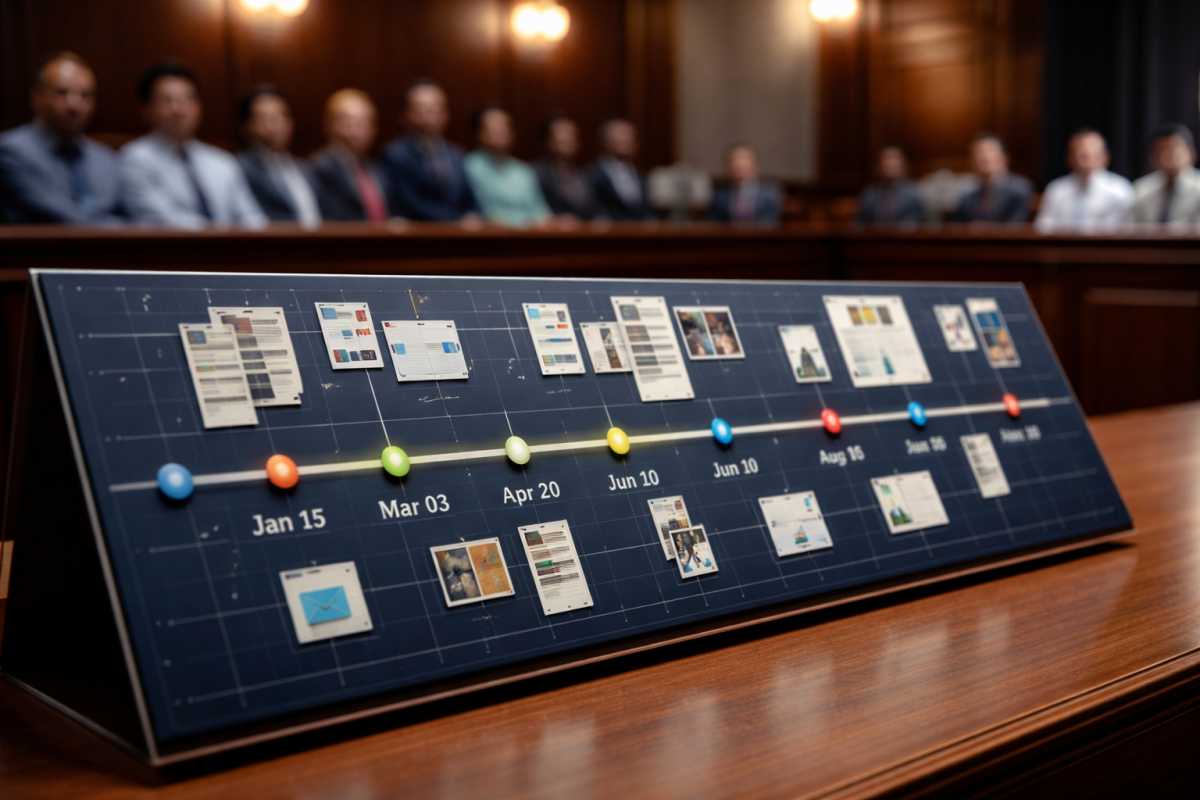
- Are there date gaps? If you have an event on January 15 and the next event on March 3, what happened in between? This gap might represent undiscovered documents or information you need to pursue.
- Are there unexplained events? If a key event occurred, can you identify the cause or consequence? If not, your timeline reveals investigation priorities.
- Do witness accounts match the timeline? Depositions often reveal discrepancies with documentary evidence. Your timeline immediately highlights which areas need follow-up questioning.
- Are there patterns or trends? Over weeks or months, does a pattern of behavior emerge that supports your legal theory? Conversely, does the timeline reveal inconsistencies in your case narrative?
This systematic analysis transforms your timeline from a passive organizational tool into an active case strategy tool. You’re no longer making discovery requests blindly. You’re making targeted requests based on specific gaps you’ve identified in your organized case narrative.
For example, in employment litigation, a detailed timeline might reveal that performance issues suddenly began immediately after an employee requested accommodation for a disability. This pattern emerging from your timeline might prompt additional discovery related to that specific temporal relationship—discovery you might not have thought to request otherwise.
Step 5: Create Compelling Visual Presentations for Every Occasion
Finally, use your organized timeline to create professional, persuasive presentations for every stage of your case.
For Client Meetings:
Present the case timeline to show how you’re organizing the matter and demonstrate professional management. Clients see their case is systematically organized and that you understand the sequence of events critical to their claim.
For Depositions:
Bring the timeline to deposition to keep questioning organized and to immediately identify contradictions with the witness’s testimony. This preparation often yields better deposition results.
For Motions and Briefs:
When writing summary judgment motions or trial briefs, reference the organized timeline. Your writing becomes clearer and more persuasive because facts are presented chronologically.
For Trial Presentation:
Your timeline becomes the backbone of your trial presentation. Whether you’re using the timeline directly in court or adapting it for visual aids, the underlying organization makes preparation exponentially faster.
For Settlement Negotiations:
Show opposing counsel a professional, well-organized timeline. This visual demonstration of your case organization and your thorough understanding of the facts is often more persuasive than arguments alone. It signals that you’re serious, prepared, and unlikely to be intimidated or outmaneuvered.
The key is that your underlying organized timeline is the source material for all these presentations. You’re not recreating information from scratch for each occasion. You’re adapting and repurposing your existing, organized case information.
Real-World Impact: How Timeline Organization Transforms Case Management
Let’s look at a practical example to demonstrate the actual time savings and strategic benefits.
The Scenario:
A personal injury firm takes on a moderate-complexity case involving a multi-vehicle accident, multiple witnesses, and treatment spanning eight months. The case involves approximately 2,000 pages of documents including police reports, medical records, photographs, communications, and witness statements.
The Traditional Approach (100+ hours):
- Document review and manual organization: 40 hours
- Creating timeline in Word/Excel: 15 hours
- Organizing exhibits for trial: 20 hours
- Preparing deposition materials: 10 hours
- Creating trial presentation slides: 15+ hours
- Responding to new documents and updating timeline: 10+ hours
The Organized Timeline Approach (35-40 hours):
- Setting up centralized timeline system: 2 hours
- Document review with direct entry into timeline: 20 hours
- Organizing supporting documents and evidence: 5 hours
- Creating trial presentation (adapting from timeline): 8 hours
- Incorporating new discovery: 3-5 hours
The Result:
60-70 hours saved per case. For a firm handling 20 litigation matters annually, that’s 1,200-1,400 hours of recovered productivity—equivalent to a full-time attorney focused exclusively on case organization. The financial value at typical billing rates is substantial: $180,000-$210,000 annually.
Furthermore, the cases prepared with the organized timeline approach benefit from:
- More thorough fact analysis and pattern recognition
- Better-prepared depositions with fewer information gaps
- Stronger trial presentations
- Improved client communication
- Clearer case strategy development
Tools and Technology: Finding the Right Timeline Solution
Not all timeline management systems are created equal. General project management software like Asana or Monday.com can technically create timelines, but they’re not designed for legal practice. Conversely, some document management systems have timeline features that feel like afterthoughts.
What you’re looking for is a platform specifically built for attorneys—one that understands legal case management and is designed specifically for how lawyers think about organizing cases. The ideal solution should include:
Essential Features:
- Cloud-based accessibility from anywhere with internet connection
- Document attachment and integration with timeline events
- Real-time collaboration capabilities for team members
- Secure encryption for sensitive case information
- Search and filtering to quickly locate specific events
- Visual timeline presentation in multiple formats
Advanced Capabilities:
- Integration with document management systems
- Customizable event types and case templates
- Client access features for secure case communication
- Export capabilities for trial presentations and exhibits
- Mobile accessibility for courtroom and remote access
- Automated backup and version control
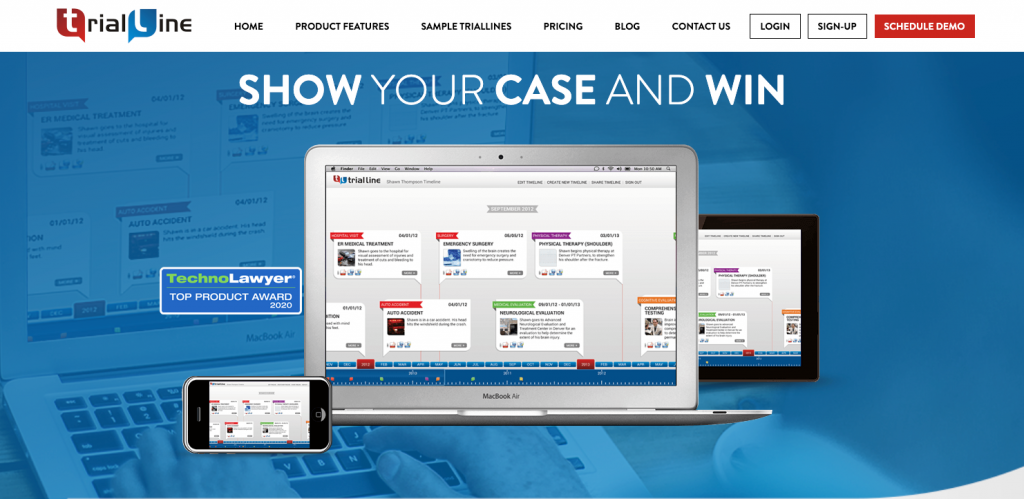
Specifically, legal timeline software like TrialLine is purpose-built for exactly this use case. Unlike general business tools adapted for legal use, TrialLine is designed specifically for attorneys managing complex cases. The platform allows you to create interactive timelines, attach supporting documents, enable team collaboration, and generate compelling visual presentations—all designed with the attorney’s workflow in mind.
The advantage of using purpose-built legal software versus adapting general business tools cannot be overstated. You’re working with a system that understands legal practice requirements rather than fighting against tool limitations or spending hours on customization.
Overcoming Common Implementation Challenges
Successfully implementing timeline management typically encounters a few predictable obstacles. Here’s how to address them:
Challenge 1: Team Resistance to New Systems
Attorneys and paralegals are creatures of habit. They may resist adopting a new system, preferring familiar workflows even when those workflows are inefficient.
Solution: Start with one case and demonstrate results. When your team sees timeline management saving 50+ hours on a single case, resistance typically disappears. Show them the client presentation benefits, the trial preparation advantages, and the reduced stress of having organized case information.
Challenge 2: Initial Setup Time
Implementing a new system requires initial time investment. Your team needs to learn the platform and adapt their workflows.
Solution: This upfront investment pays for itself quickly. Moreover, subsequent cases become exponentially faster as your team becomes proficient. The learning curve typically spans 2-3 cases before efficiency gains become fully realized.
Challenge 3: Resistance to Centralization
Some team members like working independently. Requiring centralized case organization can feel like micromanagement.
Solution: Frame timeline management as a tool that makes their job easier, not harder. Fewer version control problems. No searching for documents. Automatic backup of work. Most resistance disappears once attorneys experience these benefits firsthand.
Measuring Success: Key Metrics to Track
To justify investment in timeline management and track continuous improvement, measure these key performance indicators:
Time Savings:
- Hours spent on discovery and document organization per case
- Hours spent on timeline creation and updates
- Time from case intake to trial-ready presentations
Quality Metrics:
- Number of document organization errors or inconsistencies
- Completeness of timeline (percentage of known events captured)
- Client satisfaction with case organization and communication
Strategic Benefits:
- Quality of depositions (more thorough preparation, better results)
- Trial presentation effectiveness (court feedback, jury satisfaction)
- Settlement negotiations success (timeline presentation impact)
Financial Impact:
- Billable hours recovered per case
- Client matter profitability improvements
- Overall firm productivity metrics
Key Takeaways: Your Timeline Management Action Plan
Let’s summarize the essential elements of the attorney’s timeline hack:
- Start immediately: Begin timeline organization from case intake, not months into litigation when information is already fragmented.
- Integrate documents: Attach evidence directly to timeline events, eliminating the need to jump between systems.
- Enable collaboration: Use real-time collaboration so your entire team works from consistent, current information.
- Analyze strategically: Use completed timelines to identify discovery gaps, investigate priorities, and refine case strategy.
- Create compelling presentations: Adapt your organized timeline for client meetings, depositions, motions, and trial.
- Choose purpose-built tools: Invest in legal-specific timeline software rather than adapting general business tools.
- Measure and track: Monitor time savings, quality improvements, and strategic benefits to justify continued investment.
Conclusion: Reclaim Your Time and Transform Your Practice
The average law firm wastes staggering amounts of time on case organization. But it doesn’t have to be this way. By implementing a systematic approach to timeline management and using the right tools, you can cut discovery time in half, improve case strategy, and free your team to focus on billable work and client service.
The attorney’s timeline hack isn’t complicated. It’s simply a commitment to organizing case information chronologically from the beginning, using tools designed specifically for legal practice, and leveraging that organization strategically throughout your case.
The time savings are real. The strategic benefits are substantial. The competitive advantage is significant.
Ready to transform how your firm manages cases? Start with one complex litigation matter. Implement a centralized timeline system. Involve your entire team in the process. Measure the results.
You’ll quickly discover that organized cases are won faster, presented more persuasively, and managed more efficiently. Your clients will notice the professional organization. Your team will appreciate the reduced administrative burden. Your practice will benefit from the recovered time and improved case outcomes.
The question isn’t whether you can afford to implement better timeline management—it’s whether you can afford not to. Every case you handle without a systematic approach is costing you time, money, and strategic advantage.
Start today. Your next case can be the one that finally gets the organized, strategic timeline management it deserves. The productivity gains and case results will speak for themselves.