How to improve your Client Communication with a Legal Timeline

In the fast-paced world of legal practice, effective organization and clear communication are paramount to success. A legal timeline serves as a powerful tool that transforms complex case details into a coherent, chronological narrative, enabling attorneys to enhance their counsel and foster stronger relationships with clients. By organizing key events, documents, and milestones into a visual legal timeline, lawyers can streamline case management, identify critical patterns, and ensure everyone involved from clients to co-counsel stays aligned and informed. This approach not only boosts efficiency but also builds trust, as clients gain a transparent view of their case’s progression.

Understanding the Power of a Legal Timeline in Law Practice

A legal timeline is essentially a chronological representation of all relevant events, facts, evidence, and deadlines in a case. It goes beyond a simple list of dates; it’s a dynamic framework that connects supporting documents, witnesses, and legal issues, allowing attorneys to visualize the story of the case. In an era where cases can involve mountains of data, from emails and medical records to deposition transcripts, a well-constructed legal timeline acts as a central hub for organization.

For legal professionals, the benefits are multifaceted. First, it enhances time management by highlighting upcoming deadlines and preventing oversights that could lead to malpractice claims or lost cases. According to industry insights, automated timeline tools reduce errors by ensuring accuracy in tracking statutory deadlines and court rules. This is particularly crucial in litigation, where missing a filing date can have irreversible consequences. Moreover, a legal timeline promotes better strategic planning. By arranging facts in sequence, lawyers can spot connections such as patterns in witness statements or inconsistencies in evidence that might otherwise remain hidden in disorganized files.

In terms of client communication, a legal timeline bridges the gap between complex legal jargon and client understanding. Clients often feel overwhelmed by the intricacies of their cases, but presenting information visually through a timeline makes it accessible. They can see how events unfold, understand the rationale behind legal strategies, and feel more involved in the process. This transparency not only improves satisfaction but also strengthens the attorney-client relationship, leading to better collaboration and fewer misunderstandings.

Key Benefits of Implementing a Legal Timeline for Attorneys and Clients

Adopting a legal timeline in your practice yields numerous advantages, backed by real-world applications in law firms. One primary benefit is improved accuracy and reduced risk. Traditional methods like spreadsheets or paper notes are prone to human error, but digital legal timeline software automates much of the process, applying jurisdiction-specific rules to calculate deadlines automatically. This minimizes the stress of managing multiple cases, allowing attorneys to focus on high-level strategy rather than administrative drudgery.

Another significant advantage is enhanced collaboration. In team-based environments, a shared legal timeline ensures that paralegals, experts, and co-counsel are on the same page. Features like real-time updates and secure sharing mean that changes are reflected instantly, fostering seamless teamwork. For clients, this translates to timely updates without the need for constant emails or meetings, saving time and reducing frustration.

From a productivity standpoint, legal timelines streamline case preparation. During mediation or trial, having a visual aid to present evidence chronologically can make arguments more compelling. Juries and judges respond better to structured narratives, and a polished legal timeline can turn a convoluted case into a persuasive story. Studies from legal tech providers indicate that firms using timeline software report up to 30% faster case resolutions due to better organization.

Furthermore, in the context of client communication, a legal timeline empowers clients to track progress independently. This self-service aspect reduces the burden on attorneys while making clients feel empowered. For instance, in personal injury cases, clients can review medical events and correspondence at their own pace, leading to more informed discussions during consultations.

Introducing TrialLine: The Ultimate Legal Timeline Software

When it comes to creating and managing a legal timeline, TrialLine stands out as a premier cloud-based solution designed specifically for attorneys and law firms. Developed to address the pain points of traditional case management, TrialLine allows users to build customized timelines that incorporate event details, attached documents, and multimedia elements. Whether you’re handling mediation, trial preparation, or client consultations, TrialLine provides the tools to organize your client’s case efficiently.

Key features of TrialLine include easy document uploads for all file types, category-based organization, and the ability to create text summaries or notes for each event. Attorneys can generate custom views tailored to different stakeholders, such as simplified versions for clients or detailed ones for experts. The platform’s password-protected sharing ensures security, while its web-based accessibility means you can work from any device without installations.

TrialLine excels in improving legal counsel by offering realtime technical support and remote courtroom controls. Imagine presenting your legal timeline via tablet, displaying documents, images, and deposition footage in real time, this not only captivates audiences but also underscores your professionalism. For client communication, TrialLine’s collaboration features allow secure online sharing, enabling clients to view updates without compromising confidentiality.

Testimonials from users highlight its impact. Paralegal Natasha C. praises it as “every legal professional’s dream” for creating clear case understandings, while attorney Sommer L. recommends it for all case aspects, from organization to helping clients comprehend their situations. These endorsements underscore how TrialLine transforms chaotic case files into actionable insights.

Step-by-Step Guide: How to Create a Legal Timeline Using TrialLine

Creating a legal timeline doesn’t have to be daunting. With TrialLine, the process is intuitive and efficient. Here’s a step-by-step guide to get you started:

  1. Identify Key Facts and Events: Begin by gathering all relevant information from your case files. This includes dates of incidents, filings, communications, and deadlines. Use TrialLine’s interface to input these as individual events, ensuring chronological accuracy.
  2. Arrange Chronologically: TrialLine automatically sorts entries by date, but you can manually adjust for precision. Connect related items, such as linking a witness statement to a specific event, to build a cohesive narrative.
  3. Attach Supporting Documents: Upload PDFs, images, videos, or any file type directly to events. This creates a comprehensive repository, eliminating the need to search through separate folders.
  4. Tag and Categorize: Assign categories like “Medical Records” or “Witness Testimonies” to filter information easily. Tag witnesses, legal issues, or entities to highlight connections and potential strategies.
  5. Customize Views and Share: Generate tailored timelines for different audiences. For clients, simplify to focus on major milestones; for trial, include detailed evidence links. Share via secure links to facilitate communication.
  6. Export and Present: Use TrialLine’s export feature to create .doc or .xls files for reports. In court, leverage remote controls for dynamic presentations.

By following these steps, you’ll have a robust legal timeline that enhances your counsel and keeps clients engaged. TrialLine’s user-friendly design ensures even tech novices can master it quickly.

Real-World Applications and Case Studies

Consider a personal injury case where events span years: medical treatments, insurance negotiations, and court filings. Without a legal timeline, details can get lost, leading to miscommunications. Using TrialLine, an attorney organized the sequence, attached scans and emails, and shared a client-view version. The result? The client better understood the strategy, leading to more productive meetings and a successful settlement.

In litigation teams, TrialLine has proven invaluable. One firm reported reducing preparation time by half, as the shared legal timeline allowed paralegals to update facts in real time, ensuring attorneys had the latest data for depositions.

These examples illustrate how integrating a legal timeline via TrialLine not only improves internal efficiency but also elevates client experiences, turning potential frustrations into collaborative successes.

Overcoming Common Challenges in Legal Timeline Management

While the benefits are clear, some attorneys hesitate due to perceived complexity. However, modern tools like TrialLine address this by offering intuitive interfaces and support. Data security is another concern, but TrialLine’s cloud-based system uses encryption and access controls to protect sensitive information.

Cost is often a barrier, but with flexible pricing starting with a 7-day free trial and affordable per-case plans, it’s accessible for solo practitioners and large firms alike. Investing in a legal timeline tool pays dividends through time savings and better outcomes.

Conclusion: Elevate Your Practice with a Legal Timeline Today

In summary, organizing your client’s case into a legal timeline is a game-changer for improving legal counsel and client communication. It provides clarity, reduces errors, and fosters trust, all while streamlining your workflow. TrialLine emerges as the ideal partner in this endeavor, offering powerful features that make timeline creation effortless and impactful.

Ready to transform your practice? Sign up for TrialLine’s free trial at https://trialline.net/ and experience the difference a professional legal timeline can make. By embracing this tool, you’ll not only enhance your efficiency but also deliver superior service to your clients, setting your firm apart in a competitive landscape.


Best Tech Tools for Lawyers: Solutions for Modern Legal Work

With the evolving process and work environments, technological tools are becoming increasingly prevalent. Like other core industries, the legal field is adapting to the increasing digital transformation. More lawyers are embracing tools to simplify processes such as research and billing.

Driven by the growing demand for work-from-home setups and automation, lawyers and law firms will have to adapt to these changes with the right tech tools.

In this blog, we’ll discuss the best tools for lawyers, drawing from industry reports and trends observed in the legal profession. This way, you can make informed decisions on what your firm can adopt to enhance its efficiency.

Don’t let disorganized case files hold your firm back. Try TrialLine today and streamline your legal work!

What Are Tech Tools for Lawyers?

Technology is transforming the legal profession, allowing law firms to manage legal practice more efficiently. Outdated methods create delays, security risks, and disorganization. Modern legal software helps streamline law firm operations, improve task management, and enhance client intake and communication.

Key tools include case management software for organizing cases, legal research tools for accessing case law, and document automation for handling legal documents. Project management software helps coordinate tasks, while AI-powered tools assist with contract analysis and document review. Time tracking and accounting software support billing accuracy and financial oversight.

Using the best tools for lawyers makes legal work more efficient, improves legal services, and strengthens case preparation. As the legal practice continues evolving, adopting AI-powered tools and practice management software is key to staying competitive.

Recommended Reading

How Legal Timeline Tools Help Your Case

Best Lawyer Tech Tools

Law firms use technology to improve efficiency, security, and client service. The right legal software helps manage legal documents, track billable hours, and communicate effectively with clients. Below are the best tools for lawyers that support different aspects of legal practice, from case management to legal research and document automation.

Legal Timeline Software

Organizing case details in a clear timeline improves case preparation and legal strategy. Legal timeline software helps lawyers visualize key case events, track evidence, and prepare for court.

For instance, TrialLine is a legal timeline tool that organizes legal documents and evidence chronologically. It helps with case preparation for court appearances, mediation, and negotiations.

AI Tools for Lawyers

AI-powered solutions are revolutionizing legal work by automating tasks such as research, document review, and contract analysis.

In particular, AI-powered legal assistants help analyze case law and predict case outcomes. They can help with contract analysis, automate document review, and identify legal risks.

Cloud Storage for Legal Documents

Lawyers need secure document management software to store and access files from any location. Cloud storage enhances data security and allows law firms to work remotely.

DropSend is an example of a secure cloud storage solution with encryption to protect client data. You can use it to set expiration dates, control downloads, and apply password protection for sensitive files.

Legal Research Tools

Fast and accurate research is essential in the legal industry. Modern platforms provide access to vast legal databases, statutes, and precedents.

Platforms like Westlaw and LexisNexis provide access to comprehensive legal databases, including case law, statutes, and legal journals.

Document Management and Automation

document management vector image

Paperwork is an integral part of the law, but handling documents doesn’t have to be as tedious or time-consuming as it once was. Legal document automation tools simplify document creation by using existing information, such as key dates or contact details, to populate forms.

iManage and Clio are among the top-rated tools for document management for legal professionals.

E-Discovery Tools

Today, the majority of discoveries are electronic or e-discoveries. E-discovery tools are specialized software solutions designed to help legal professionals identify, collect, review, and produce electronically stored information (ESI) during the discovery phase of litigation.

Key functions of e-discovery tools include data collection, processing, review, production, and preservation. A few examples of e-discovery tools are Relativity, Everlaw, and Logikcull.

Time Tracking and Billing Software

Accurate time tracking and billing are crucial for law firm profitability. However, manually monitoring time and handling billing can reduce productivity.

Billing and time-tracking tools help legal professionals accurately record the time spent on various tasks and generate invoices for clients. These tools improve practice management so that lawyers are properly compensated for their work.

You can use these tools to track billable hours for specific tasks or cases and create detailed invoices based on recorded time entries. Additionally, they record costs incurred during a case, such as court fees, travel expenses, and other billable items. 

Practice Management Software

people using practice management software vector image

Legal practice management software is essential for law firms, particularly solo practitioners.

This software is a comprehensive solution designed to help law firms manage their daily operations more efficiently. It integrates various functions to streamline tasks and increase productivity. Some practice management software for lawyers include Clio, MyCase, and Practice Panther.

Virtual Meeting Tools

Communication and collaboration are pivotal for a lawyer’s achievements, yet face-to-face interactions aren’t always feasible or preferred. Lawyers often find themselves needing to collaborate with colleagues, clients, and experts situated in diverse geographical areas.

Virtual meeting tools facilitate smooth communication and collaboration. Furthermore, virtual meetings enable law firms to uphold client relationships, even in the absence of in-person meetings.

Legal Analytics Tools

Legal analytics tools are software solutions that use data analysis techniques to offer insights and predictions across different facets of the legal field. These tools forecast the probable outcome of legal cases by considering various factors. They also pinpoint pertinent case laws, statutes, and legal articles relevant to specific legal matters.

Client Portals

Client portals allow lawyers to exchange messages and documents with clients securely. They grant clients access to information so they stay informed about their cases with minimal manual updates from lawyers.

You can communicate and share sensitive information, including legal documents, without the threat of interception or unauthorized access. Clients can log in to the portal conveniently from any location with internet access. In turn, they can review case updates, exchange documents, and communicate with you even beyond regular business hours. 

Selecting appropriate tools can significantly impact the growth of your law firm. Embracing legal tech tools and innovations can enhance efficiency, profitability, and client focus. 

Despite the abundance of available tools, it is not necessary to adopt them all simultaneously. Instead, carefully evaluate each tool and begin with the essentials. Gradually integrate additional tools strategically to establish a tech stack that optimizes firm operations.

Top Legal Timeline Software for Lawyers to Use in 2025

Legal timeline software is one of the best tools for lawyers, offering a clear, visual sequence of events that enhances case preparation, improves client communications, and strengthens legal strategies.

More than just date tracking, legal timeline software integrates with case management software, supports document automation, and helps attorneys analyze case facts with precision. It ensures that law firms can organize evidence efficiently, present cases effectively in court, and manage law firm operations with greater accuracy.

Below are the top legal timeline software solutions for 2025, designed to help lawyers, litigators, and legal professionals build stronger cases.

1. TrialLine

trialline

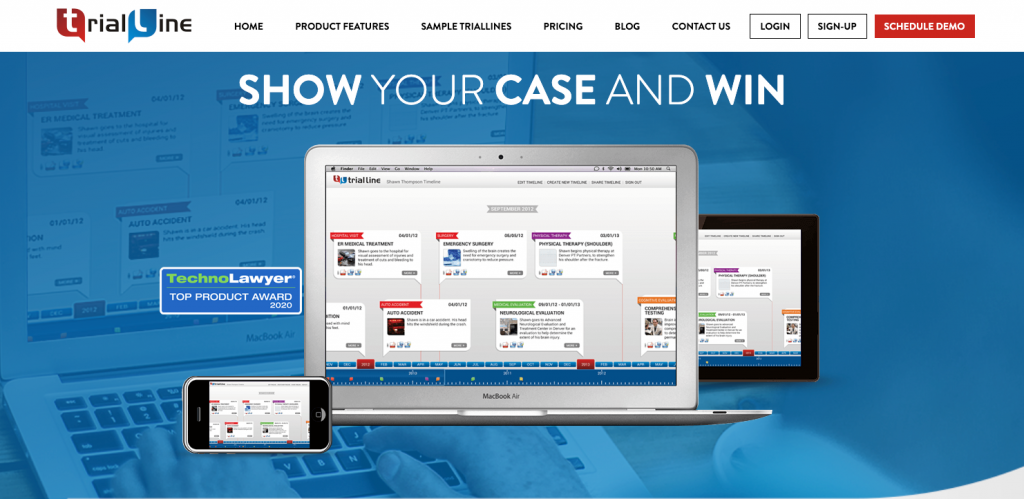
TrialLine is cloud-based legal timeline software built specifically for law firms that require a structured way to organize case facts, evidence, and witness testimony. Unlike generic timeline tools, TrialLine is designed for litigation-focused legal professionals, providing interactive visual timelines that connect case details in a way that’s easy to present in court.

Most timeline tools offer basic event plotting, but TrialLine integrates deeper case management features that help attorneys prepare for court appearances, depositions, and mediations. It allows lawyers to attach legal documents, videos, photos, and court filings directly to specific timeline entries, ensuring that all case-related data remains well-organized and easy to access.

Key Features of TrialLine:

  • Chronological case organization – TrialLine structures legal cases into a clear timeline format, making it easier to identify patterns and build legal arguments.
  • Document and evidence management – Attach case files, PDFs, photos, and videos directly to timeline entries for efficient document management.
  • Advanced filtering and categorization – Sort and filter timeline events by issue type, witness, or relevance, allowing attorneys to focus on specific case details.
  • Interactive courtroom presentations – Unlike static timelines, TrialLine allows users to click through case events in real time, providing a dynamic and engaging trial presentation.
  • Team collaboration & sharing – Share case timelines with legal teams, clients, and experts to keep everyone aligned.
  • Cloud-based access – Securely log in from any device, making it ideal for remote legal teams and multi-state litigation.

Pricing Plans:

  • Month-to-month plan – $59 per month per user, Flexible subscription with no long-term commitment, full access to the online version, and 100GB cloud storage for legal documents.
  • Annual plan – $41 per month per user (billed annually at $499, saving $209 per year). Best value plan offering full TrialLine features at a discounted rate, including document automation, timeline visualization, and case collaboration tools.

Ready to improve your case strategy? Try TrialLine today and transform the way you manage legal timelines!

2. CaseFleet

casefleet

Source: CaseFleet.com

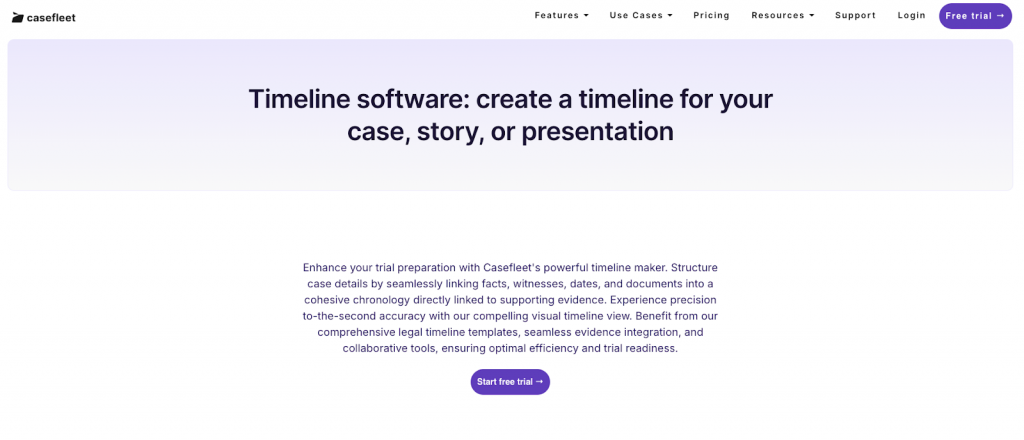
CaseFleet is cloud-based legal case management software for organizing case facts and managing documents. It lets you create detailed case chronologies by linking facts, witnesses, dates, and evidence in a cohesive timeline.

The platform’s document reviewer feature allows for the attachment of supporting materials directly to specific facts for easier evidence management. Users can search and filter facts by various criteria, such as date, contact, issue, or source, and can edit information inline for accuracy.

Key Features:

  • Fact and issue management – Organize case details by linking facts, issues, witnesses, and evidence into a cohesive timeline.
  • Document review – Attach and review supporting materials directly within the platform, streamlining evidence management.
  • Full-text search – Search within complex legal documents to locate relevant information.
  • Task management – Assign and track tasks to ensure timely completion of case-related activities.

Pricing:

  • Starter – $40/user/month with chronology-building tools and evidence citations
  • Standard – $100/user/month with full-text search and deposition designations
  • Enterprise – Custom pricing

3. TimeMap

timemap

Source: Lexisnexis.com

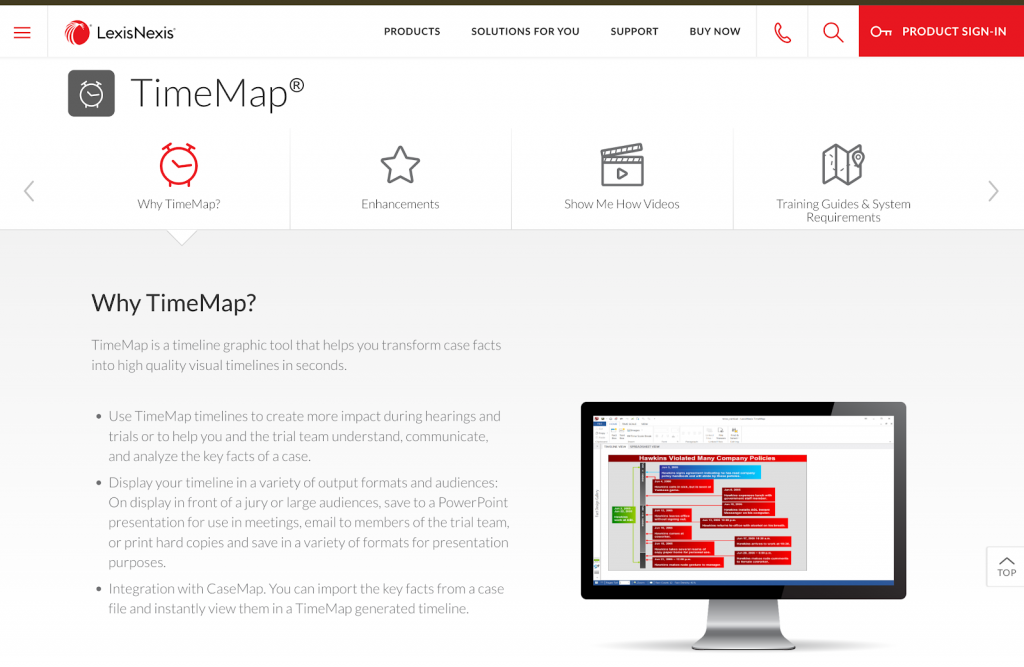
TimeMap is a timeline graphic tool developed by LexisNexis for converting case facts into high-quality visual timelines for court proceedings. The platform offers over 30 pre-built templates, customizable elements, and integration with other LexisNexis products like CaseMap.

Key Features:

  • Fact boxes – Create flags denoting events in the case chronology, automatically positioned on the timeline based on their dates.
  • Multiple output formats – Display timelines in various formats, including PowerPoint presentations, printed copies, or digital images (JPEG, GIF, BMP, or metafile) for diverse presentation requirements.
  • Full-screen mode: Present timelines directly from TimeMap in full-screen mode, facilitating effective display during meetings or court proceedings.

Pricing Plans:

  • Pricing for CaseMap is not publicly available on LexisNexis.

4. SmartDraw

smartdraw

Source: Smartdraw.com

SmartDraw is not exclusively a legal timeline tool, but many law firms use it to create basic case timelines for court presentations and legal arguments. It’s more of a general-purpose timeline and diagram tool, making it a budget-friendly alternative for firms that don’t need advanced case management capabilities.

Key Features:

  • Drag-and-drop timeline builder – Create legal timelines with minimal effort.
  • Integration with Microsoft Office and Google Drive – Export files into Word, PowerPoint, and other formats.
  • Basic collaboration tools – Share timelines with colleagues and clients.

Pricing Plans:

  • Individual plan: $9.95 per month.
  • Team plan: $8.25 per user per month (minimum of three users). Comes with document retention and control
  • Site plan: $5 per user per month. With Everything in the Team plan, plus multiple shared folders

Support Your Casework With Legal Timeline Software

trialline

Among the best tools for lawyers, legal timeline software plays a key role in case preparation, trial presentations, and legal strategy development. TrialLine is a powerful solution that helps law firms create detailed legal timelines, making sure key case events and supporting legal documents are organized in a clear, chronological format.

With TrialLine, attorneys can attach documents, photos, and videos to case events, collaborate with legal teams, and present timelines in a way that is easy to understand for juries, judges, and opposing counsel. This cloud-based software simplifies complex cases, making it an invaluable tool for litigation.

Start improving case organization and legal presentations today. Sign up for a 14-day free trial of TrialLine and schedule a demo with an expert to see how it can transform your law firm’s operations!

FAQs About Best Tools for Lawyers

How can a lawyer make $500,000 a year?

Lawyers can reach $500,000 per year by specializing in high-paying legal fields like corporate law, intellectual property, or medical malpractice. A strong client base, effective billing strategies, and leveraging AI-powered tools for efficiency help increase earnings. Running a well-organized law firm with the right legal software also improves profitability.

What are some tools lawyers use?

Lawyers use case management software like Clio or MyCase to track cases, legal research tools like Westlaw and LexisNexis, and document automation software like HotDocs to reduce paperwork. Time tracking and billing tools such as TimeSolv help lawyers track billable hours, while legal timeline software like TrialLine organizes case events and evidence.

What are the best organization tools for lawyers?

The best tools for law firm organizations include TrialLine for structuring case timelines, Clio for managing legal documents and billing, and iManage for secure document storage. Microsoft OneNote and Notion are great for organizing notes and legal research. These tools help lawyers stay organized, reduce errors, and improve efficiency.

Which AI tool is best for lawyers?

AI is improving legal work by automating research and document review. Casetext CoCounsel is an AI-powered legal research assistant, LawGeex automates contract analysis, and ChatGPT for Lawyers helps with legal writing, summarization, and contract drafting. These tools save time and allow lawyers to focus on complex legal strategies.

Why should law firms use legal timeline software?

Legal timeline software like TrialLine helps lawyers organize case facts, attach legal documents, and present cases. It allows attorneys to structure case timelines, making complex cases easier to explain to judges, juries, and clients. TrialLine improves case preparation and ensures all key events and evidence are easy to access.

Case Timeline Software for Different Legal Specializations

Like other professionals, lawyers have a variety of specializations that enable them to focus on specific areas of law, enhancing their expertise and skills in those domains. The choice of specialization a lawyer makes can greatly influence their career path and opportunities. Continue reading “Case Timeline Software for Different Legal Specializations”

How to Navigate in TrialLine

TrialLine was designed to be extremely intuitive. If you have any experience at all using modern apps or websites, you’ll find TrialLine very easy to use. To help you get comfortable using TrialLine as quickly as possible, we’ve created this guide that will show you how to navigate in TrialLine, and what different parts of the dashboard enable you to do. Continue reading “How to Navigate in TrialLine”