
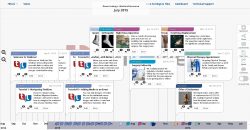
TrialLine was designed to be extremely intuitive. If you have any experience at all using modern apps or websites, you’ll find TrialLine very easy to use. To help you get comfortable using TrialLine as quickly as possible, we’ve created this guide that will show you how to navigate in TrialLine, and what different parts of the dashboard enable you to do. Continue reading “How to Navigate in TrialLine”
Category: Blog
A TrialLine Timeline of Talc Related Court Cases
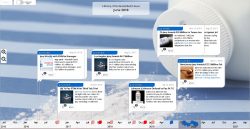
Have a look at the history of Talc litigation in the United States. The connection between talc and cancer has been documented since at least 1982. To date, Johnson and Johnson has been hit with nearly half a billion dollars in damages via jury awards.
A TrialLine History of Clio Legal Practice Management Software
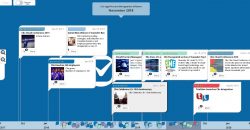
This week (Aug. 26-30, 2019) is Clio week at TrialLine. We’re taking all week to celebrate the completion of our integration with Clio, a leading law firm practice management tool. Now Clio users can import Clio matters right into TrialLine to visualize their case facts and see their case data like never before. Continue reading “A TrialLine History of Clio Legal Practice Management Software”
How to Use the Carousel View
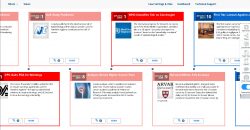
TrialLine enables its users to display their timeline in multiple ways, including the ‘Relative’ and ‘List’ views, but also the ‘Carousel View’. As opposed to the ‘Relative View’ (which displays the events on your timeline in relative distance away from each, other depending on their distance away from each other in time), the ‘Carousel View’ displays the events sequentially, one right after the other. Continue reading “How to Use the Carousel View”