The Best TimeMap® Alternative is TrialLine

timemap competitor trialline

If you’re looking for the best alternative to TimeMap® legal timeline software by LexisNexis, consider TrialLine.

TrialLine is an award-winning alternative to TimeMap® and and was named TechnoLawyer’s 2020 Product of the Year.

TrialLine provides:

  • more interactive features,
  • better design,
  • easier video and media integration,
  • graphic customization,
  • and live support!

If you’re currently using TimeMap®, you’ll be thrilled to know that TimeMap® data can be easily imported into TrialLine’s lawyer timeline software. Even better, we’re happy to help. Just ask!

Read more

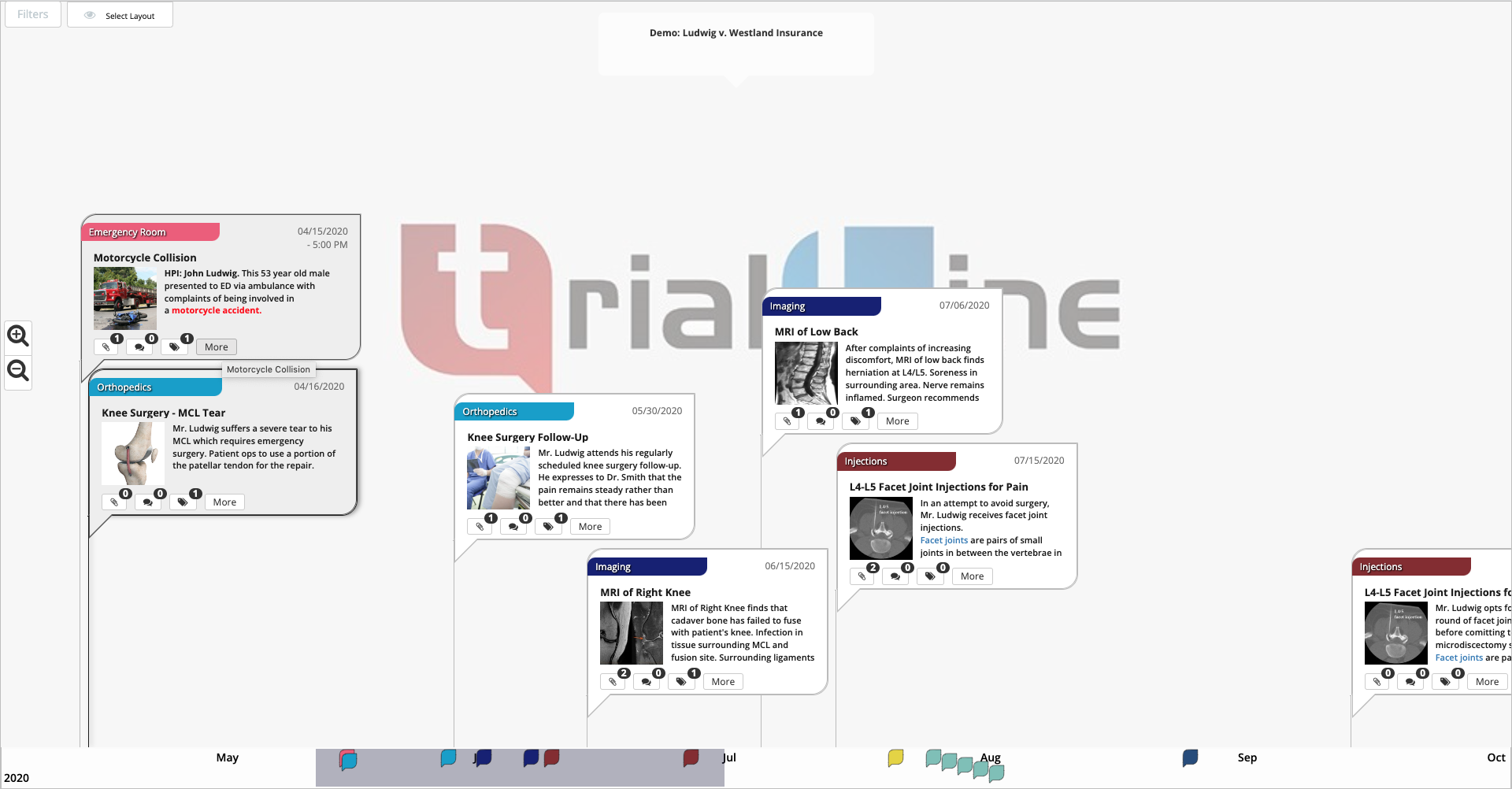
Building Medical Record Chronologies with TrialLine

As a litigator, you are charged with the seemingly insurmountable task of organizing complex case materials. From documents and facts to highly detailed medical records, these facts must be organized and accessible to you and your entire team.

TrialLine is designed to give you control over not only how this information is organized, but also how that information is presented and shared. With beautiful color timeline displays, you can create stunning medical record chronologies that showcase your evidence both in and out of the courtroom. Most notably, TrialLine can help you win more cases by keeping medical records in order and in view, and in context of the rest of the facts in your case. 

Read more

Using The Criteria Filter

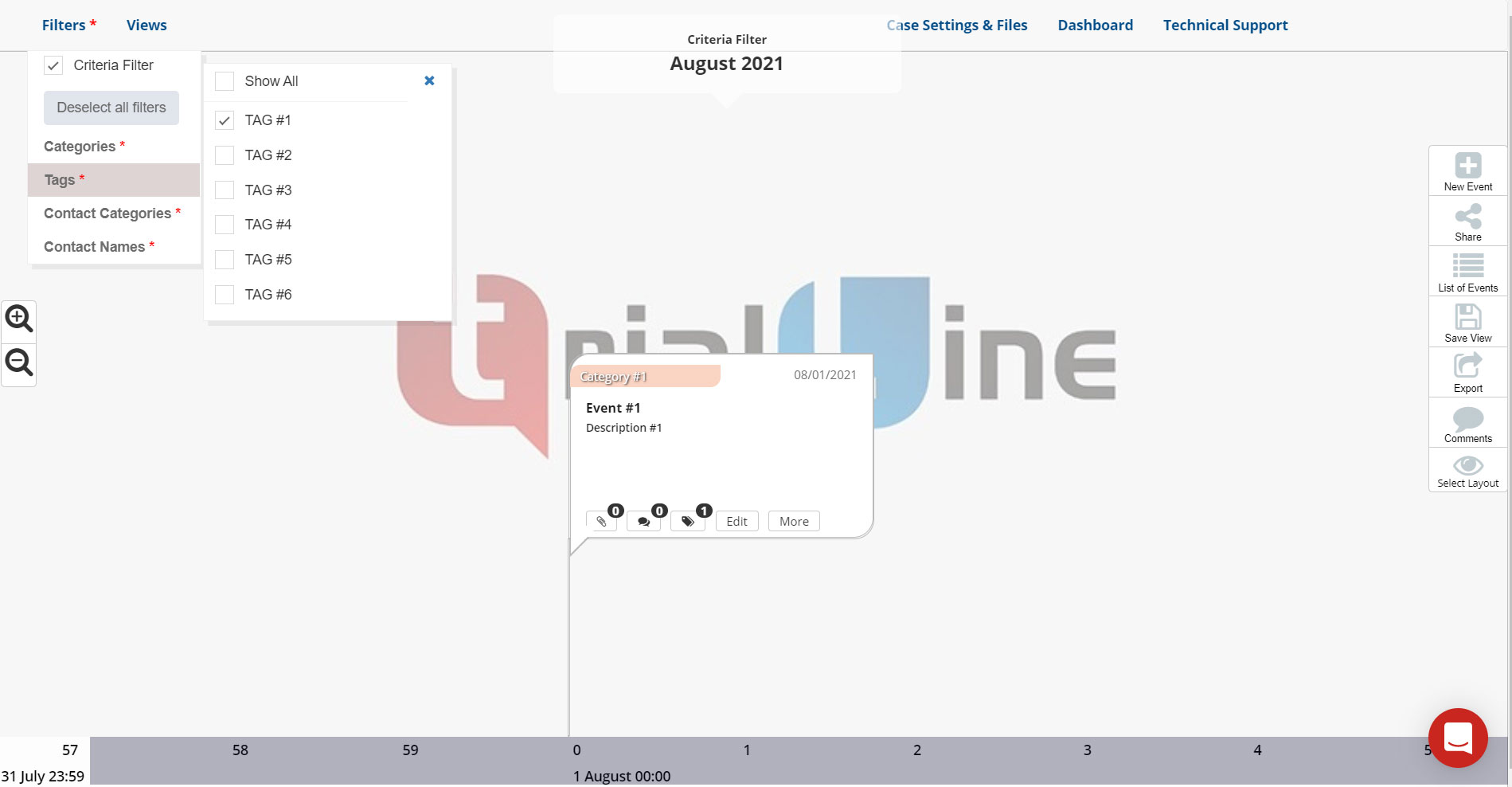
TrialLine recently introduced a ‘Criteria Filter’ option that enables you to choose which events on your TrialLine display, based on a specific set of criteria. 

The ‘Criteria Filter’ works differently than the traditional filter option in TrialLine, in that it only displays events that match the specific criteria you select from the ‘Criteria Filter’ menu.

Read more

TrialLine’s New ‘Contacts’ Feature

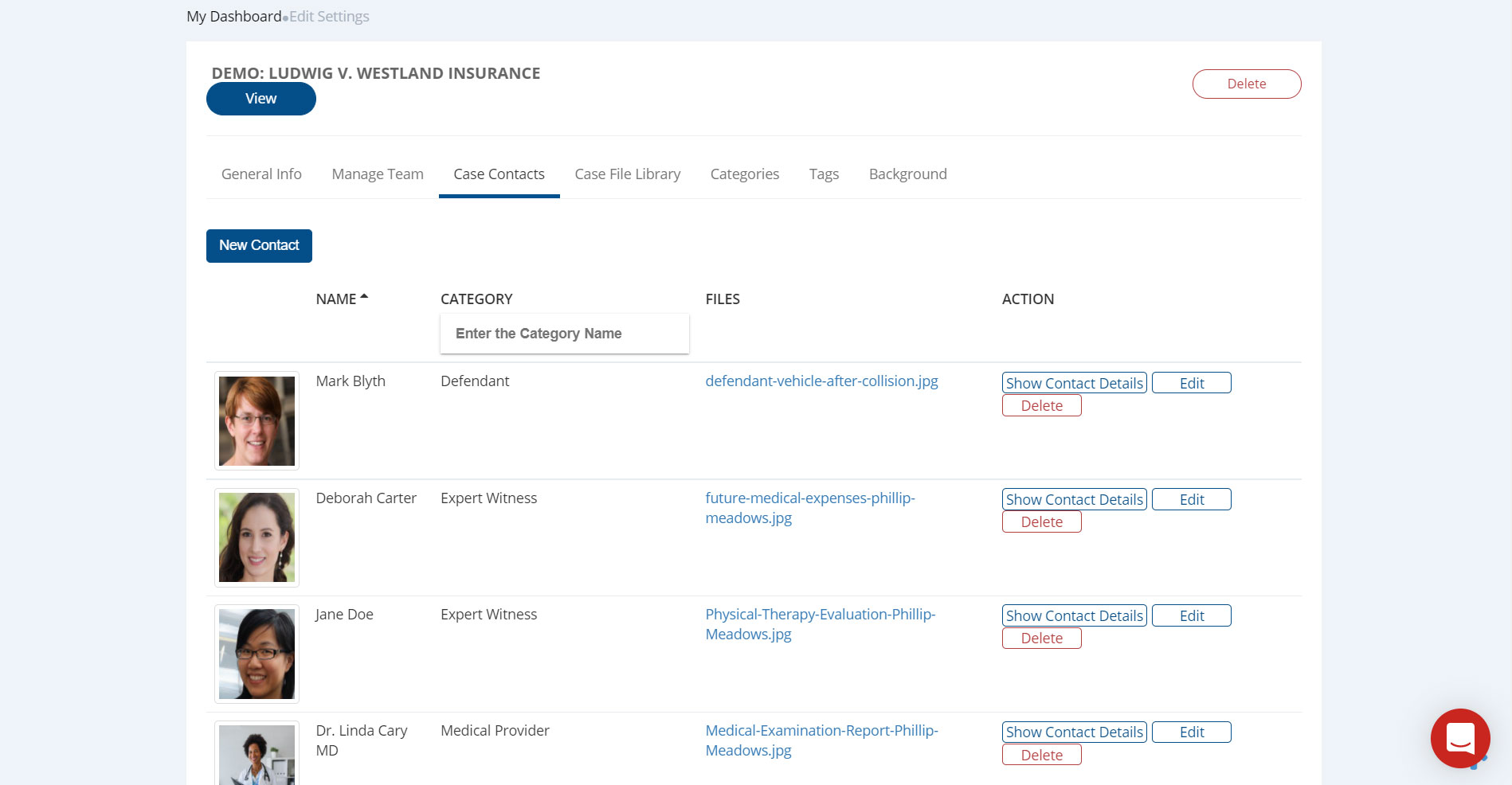
TrialLine recently added a new ‘Contacts’ feature that enables you to add contacts to your TrialLines, and these contacts can then be associated with specific events, facts and documents.

This allows you to create contact-specific views of your TrialLine that can be used in depositions, witness examinations or as a visual aid to help you get a better understanding of a particular person’s role in your case.

Read more

Engage Your Audience Better with Visual Trial Timelines

Research has shown that one of the most effective ways to communicate information clearly and persuasively, is through the use of visual cues. There are a number of benefits to using visuals, all of which should be very interesting to attorneys:

  • Better retention – The brain is extremely good at encoding images and recalling them at a later time. Studies have shown that connecting concepts and ideas to meaningful images can improve the recall of those concepts and ideas.
  • Faster comprehension – The human brain is capable of processing images very quickly, and of gleaning a remarkable amount of detail in just a brief period of time.
  • Deeper understanding – Images communicate information without using language, which engages the mind in non-linguistic ways, which can lead to deeper understanding of a subject, and even emotional responses. 

Combine the benefits of using visual aids with the tendency of human beings to think linearly, and it becomes clear how using a fact chronology or visual trial timeline in your legal work, can be a powerful way not only to communicate the important facts of your case to others, but also to solidify and understand the facts in your own mind. 

Read more

Using Tags and Categories Effectively in TrialLine

One of the most helpful features that TrialLine provides is the ability to sort which events are displayed along your timeline and which are not, by filtering out events based on what category they are included in, and/or what tags are attached to them.

Controlling the way that the facts and details of your case are presented is the key to creating the narrative of your case. And this is important for a number or reasons.

Not only is it the key to creating a compelling and efficient narrative when in front of a judge or jury, it’s also a key aspect of your case preparation. Remember, sometimes it’s the paring down of information that is required to clarify a story, or bring to light important information.

Read more

How to Create Effective Trial Visuals for Your Next Case

Trial visuals and courtroom graphics can enhance your case and help you tell your client’s story in an interactive and captivating way. Creating a timeline is an effective way to do just that.

With TrialLine, you can organize your case data and maximize visuals at the same time. While most visual demonstrative evidence is expensive and time-consuming, TrialLine offers you a better way.

Read more

Creating Fact Chronologies in TrialLine

You have a complicated legal matter with multiple witnesses, hundreds of facts and thousands of documents. Litigating this matter is a daunting prospect, but you’ve done the work and set yourself up so that your case is well organized and manageable.

You’ve taken that big, imposing matter and broken it down into smaller, more easily managed parts, by creating lists of all of the players and important evidence in your case. And you’ve listed all of the issues that need to be addressed, and linked them to the relevant players and evidence.

Now that you have identified the component parts of your case, it’s time to create a chronology that lays out all of the facts.

Read more

Brainstorming Tips and Tricks

Every attorney knows legal cases can be complicated and difficult things. They often involve:

  • Multiple witnesses,
  • hundreds of facts, 
  • and thousands of documents.

Because of the education and training you undertake, most of you have learned how to understand complex topics. But that doesn’t mean it’s always easy. 

Complex cases can have so much information to contend with that it can feel overwhelming, even to experienced litigators. 

Read more